Sephiria Mods Guide
A practical Sephiria mods page covering Nexus Mods, the Cheat GUI utility mod, MelonLoader requirements, install notes, and safety checks.
Quick answer
Sephiria has a Nexus Mods game page, including Cheat GUI, a Miscellaneous category mod described as an in-game cheat and utility mod.
Use the Nexus page before downloading, because mod compatibility, files, permissions, posts, and safety status can change after a game update.
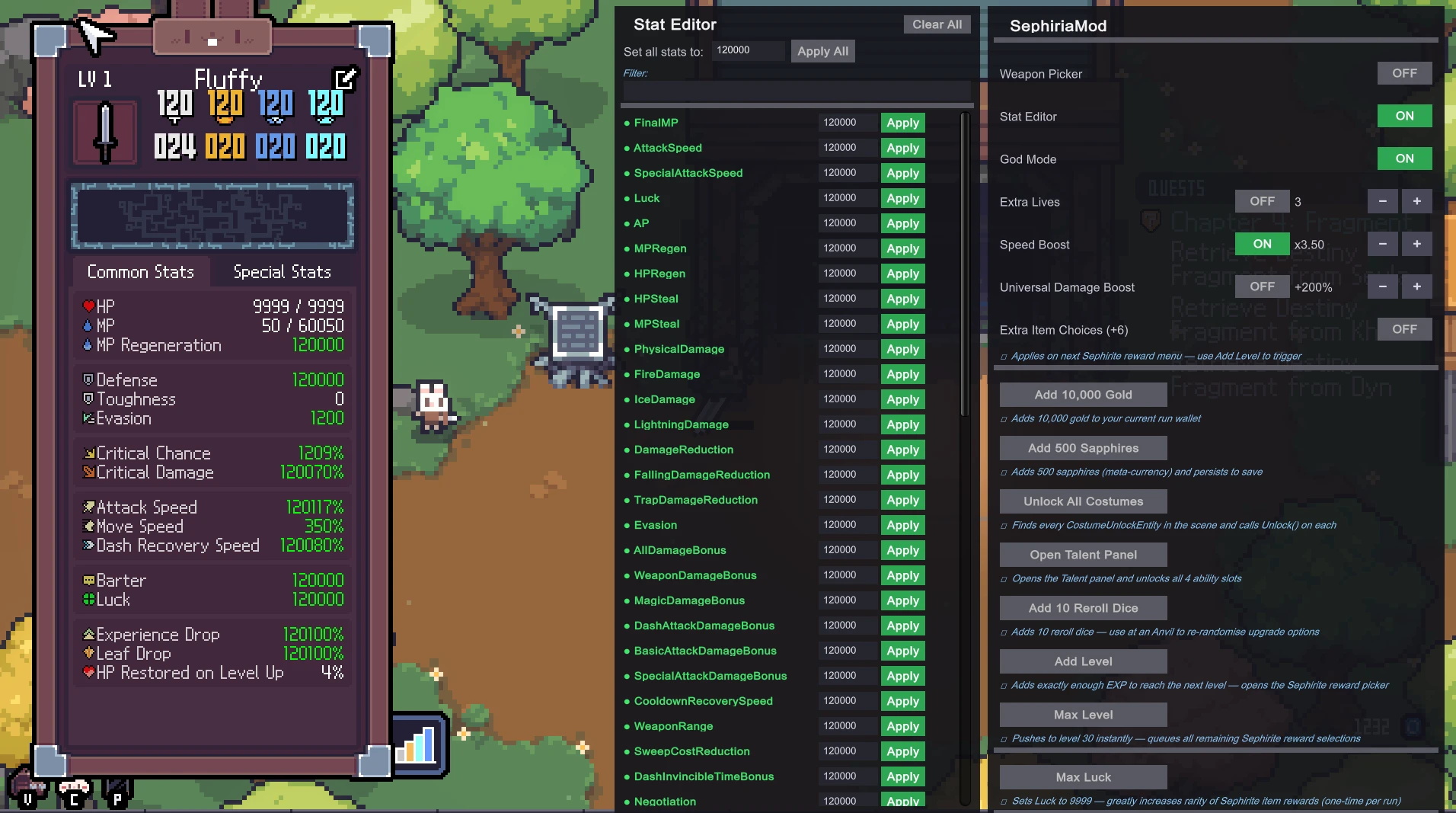
Mod entry
| Field | Detail |
|---|---|
| Mod name | Cheat GUI |
| Nexus URL | https://www.nexusmods.com/sephiria/mods/1 |
| Category | Miscellaneous |
| Version | 4 on the main mod page; the files view also lists a SephiriaMod file version 2 |
| About text | In-Game Cheat & Utility Mod |
| Original upload | 01 August 2026, 9:40AM |
| Last updated | 03 August 2026, 5:23AM |
| Created by | DevToolsMaster |
| Uploaded by | DevToolsMaster |
| Virus scan | Safe to use |
| Media count | Images 8, Videos 0 |
| Community count | Posts 5, Bugs 0 |
Requirements
The Cheat GUI package uses MelonLoader:
| Requirement | Detail |
|---|---|
| Mod loader | MelonLoader 0.6.x or later |
| Game target | Sephiria 1.0, built against the July 31 2026 release |
| Game executable | Sephiria.exe is referenced in the MelonLoader setup flow |
Installation notes
- Install MelonLoader into the Sephiria game folder.
- Point the MelonLoader installer at
Sephiria.exe. - Launch the game once so MelonLoader can generate its folder structure.
- Download the mod package from Nexus Mods.
- Unzip the package into the Sephiria game folder so the mod file lands under
Sephiria/Mods/.
Nexus also showed that the files page may require login before downloading.
What this mod is for
Cheat GUI is best treated as a utility or cheat menu rather than a balanced gameplay recommendation. It is useful for players specifically searching for Sephiria mods, but it is not required for normal play.
Safety and permissions
Nexus lists the virus scan status as Safe to use, but players should still check the Nexus page before installing.
The permissions block is restrictive:
| Permission area | Captured status |
|---|---|
| Re-uploading | Not allowed on other sites |
| Modifying the file | Requires permission from the author |
| Converting to other games | Not allowed |
| Using assets from the file | Requires permission from the author |
| Selling assets from the file | Not allowed |
Because of those permissions, use the Nexus page for downloads instead of reposted files or mirrored assets.
Where to check
| Link | Use |
|---|---|
| https://www.nexusmods.com/games/sephiria/mods | Sephiria mods index |
| https://www.nexusmods.com/sephiria/mods/1 | Cheat GUI page, files, posts, bugs, logs, images, and permissions |
| https://steamcommunity.com/app/2436940/guides/ | Steam player guides |
| https://steamcommunity.com/app/2436940/discussions/ | Steam Community troubleshooting |
Before installing
- Check the current Nexus file version.
- Read recent posts or bug reports.
- Back up your save data.
- Remove the mod if a Sephiria update breaks compatibility.